A 4-Week Hospitality Social Media Content Calendar Using Guest Photos
A blank social calendar is rarely a creativity problem. It is usually a supply problem: the breakfast photo is outdated, nobody filmed the Friday atmosphere, and the person posting cannot tell which guest images may be reused.
The answer is not to publish more for the sake of it. Build a repeatable system that connects real moments, usable permission, a clear purpose, and a realistic posting rhythm. This four-week plan works for hostels, hotels, restaurants, activity operators, and event venues. Use the parts that fit your business and skip the rest.
Start with five content jobs
Every post should do one useful job. A simple mix prevents a feed made entirely of offers or nearly identical room photos.
- Set expectations: show what a room, table, activity, event, or shared space actually feels like.
- Answer a question: explain check-in, dietary options, what to bring, access, timings, or how an experience works.
- Show real atmosphere: use a permissioned guest perspective to reveal energy that a staged shoot may miss.
- Help people choose: compare room types, quiet and social areas, menu occasions, activity levels, or event formats without attacking competitors.
- Invite the next step: point to availability, a menu, an event page, directions, or a useful guide.
This is a planning framework, not an algorithm trick; it cannot promise reach or bookings.
Prepare the library before filling the calendar
Create one approved folder or media library. For every photo or video, record the contributor, venue, approval state, permitted channels, and any removal request. Do not assume that a public social post gives your business the right to download and republish it. The UK Intellectual Property Office explains that online image use will generally need permission from the copyright owner.
If you rely on consent for identifiable guest content, make the choice specific and understandable. The European Commission says valid consent must be freely given, informed, specific, clear, and withdrawable. Local requirements vary, so treat this as an operating principle rather than legal advice.
Sort usable media into five small collections: spaces, people and atmosphere, food or details, helpful explanations, and timely moments. Ten well-labelled files are more useful than 500 mystery downloads.
The four-week hospitality content calendar
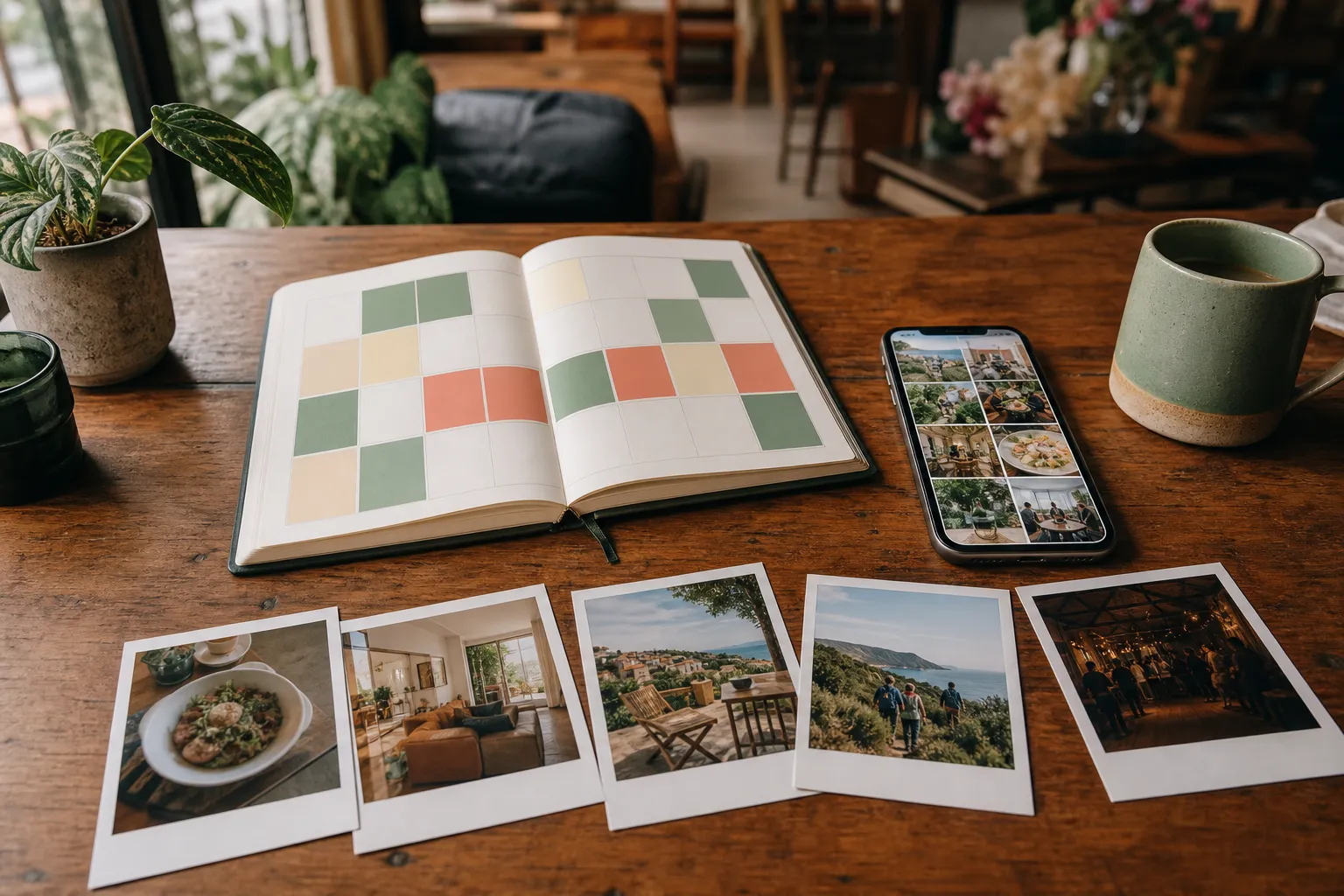
The template uses three main posts a week. Stories and timely updates can sit around them. If your team can manage only two, remove Friday.
Week 1: show what guests can expect
Tuesday — The honest overview. Choose a guest photo that gives useful context: the true size of a shared kitchen, the terrace at breakfast, a restaurant table set for a group, the meeting point for a tour, or the view from an event guest’s seat. Add one practical detail the image cannot explain.
Thursday — Answer one repeated question. Build a short carousel or caption around a real question from reception, messages, or comments. Pair a relevant guest image with a direct answer and a link to the full information.
Saturday — This week’s atmosphere. Use a recent approved image that captures a recognizable moment. Name what was happening without inventing a testimonial or pretending the scene happens every night.
Week 2: help people make a decision
Tuesday — One choice explained. Compare two genuine options: dorm versus private room, early versus late activity, lunch versus dinner atmosphere, seated versus standing event layout. Say who each suits.
Thursday — The detail people miss. Feature storage, accessibility, a vegetarian dish, equipment, quiet corners, transport, or weather preparation. Useful details often remove more uncertainty than broad claims.
Saturday — Guest-eye itinerary. Arrange three to five permissioned photos into a simple sequence: arrive, settle in, join the activity, eat, and wind down. Keep the caption factual and link to the relevant page.
Week 3: build participation
Tuesday — A specific photo prompt. Ask current guests for one achievable subject, such as “show your favourite quiet corner” or “capture the view at the halfway point.” Explain where to upload and how the image may be used. Do not make a public review part of the exchange; our guide to rewarding guest photos without incentivizing reviews explains the separation.
Thursday — Behind the experience. Combine one guest view with a staff explanation: how the breakfast is prepared, how guides check equipment, how a room turns around, or how the venue sets up for an event.
Saturday — Community round-up. Share a small, coherent set of approved images rather than a random dump. Credit contributors when that is agreed and appropriate. Avoid captions that reveal personal information you did not need to publish.
Week 4: learn and reuse
Tuesday — Revisit a useful evergreen post. Update a strong earlier idea with a new image and current information. Reusing a format is sensible; reposting stale details is not.
Thursday — Local or seasonal context. Explain what changes this month: daylight, transport, weather, menu, events, crowd levels, or what guests should pack. Link only to information you can keep current.
Saturday — One clear next step. Use a relevant guest image and invite readers to check availability, view the menu, see the event plan, or save the guide. Keep the call to action proportional to the post.
Adapt the same idea to each platform
Do not paste the identical asset everywhere. Keep the core fact, then adapt the format and caption.
- Instagram and Facebook: use the strongest visual story and concise practical context. Meta provides a Page planner for creating, editing, and rescheduling posts in Meta Business Suite, while professional Instagram accounts can also schedule photos, carousels, and Reels in the Instagram app.
- TikTok: turn a still-photo idea into a vertical sequence, simple walkthrough, or staff voiceover when you have suitable video. TikTok’s official creative guidance recommends platform-native vertical content and says testing different approaches matters because there is no universal formula; start with its creative best-practice guide.
- LinkedIn: focus on operations, events, partnerships, team craft, or a useful lesson. LinkedIn Pages can schedule, edit, reschedule, and delete planned posts.
A 30-minute weekly planning routine
- Review upcoming occupancy, bookings, events, menu changes, and local conditions.
- Select three approved media items with the right channel permission.
- Give each post one content job and one audience question.
- Write the factual caption first; add personality without adding unsupported claims.
- Check crop, names, dates, links, accessibility text, and removal status.
- Schedule supported channels and assign a named person for manual posts.
- After publishing, record the link and one useful result: saves, replies, clicks, or the question it generated.
Pre-publication checklist
- The media belongs to the contributor or has a suitable licence.
- The intended social channel is permitted.
- Identifiable people and sensitive situations have been checked.
- The caption matches what the image really shows.
- Prices, times, availability, menus, and links are current.
- Alt text describes the useful visual information.
- Any material relationship or sponsored content is disclosed where required.
- A removal request has not made the asset unavailable.
- Someone is responsible for replies after publication.
How Everyguest fits the workflow
Everyguest gives venues a structured collection and planning path. Guests upload photos or videos through a venue QR flow and choose optional uses. Owners review content, see its rights information, download approved media, and plan posts in week, month, or list views. Photos can be scheduled for Meta publishing; videos and other supported channels remain manual-posting workflows with captions and completion tracking. The current product also supports drafts, rescheduling, and a weekly content-pack export.
You can run this calendar with folders and a spreadsheet. Everyguest becomes useful when collecting, permissions, review, and publishing are otherwise split across inboxes and phones. To improve the collection side first, read how to get guests to share hotel photos. You can also compare Everyguest venue plans.
Frequently asked questions
How often should a hospitality business post?
Use the rhythm your team can sustain with accurate, worthwhile material. This template uses three main posts a week, but two strong posts are better than seven rushed ones. Review your own results instead of treating a generic frequency as a rule.
Can we repost a photo when a guest tags us?
A tag is not automatically a reusable marketing licence. Ask for permission suited to the intended use, record the answer, and respect later withdrawal or removal requests.
Should every post include a booking link?
No. Match the next step to the job of the post. An explanatory post may link to practical details; a community post may simply invite a useful reply.
What should we measure each month?
Track whether the workflow is producing approved usable media, whether posts go out as planned, and which topics generate meaningful actions such as saves, qualified questions, site visits, or enquiries. Do not turn one month of data into a universal promise.
Make next month easier than this month
At month-end, keep the formats that answered real questions, archive expired information, and write down the media gaps you discovered. Those gaps become next month’s guest prompts and staff shot list.
The goal is a small editorial loop: collect responsibly, approve deliberately, publish usefully, and learn. See how Everyguest works for venues if you want that loop in one place.